
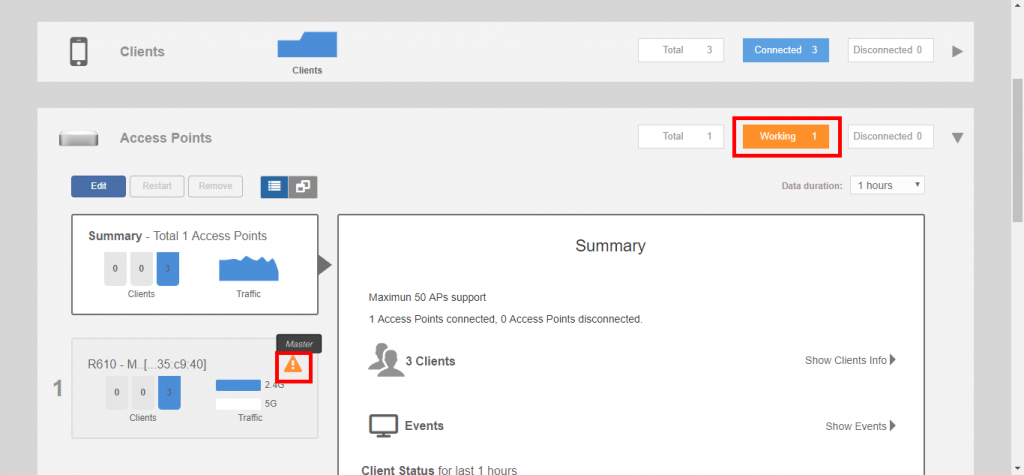
Beginning with release 200.8, the Unleashed dashboard displays warning icons when an AP is operating in reduced power mode.
Warning icons indicate an AP is operating in reduced power mode:
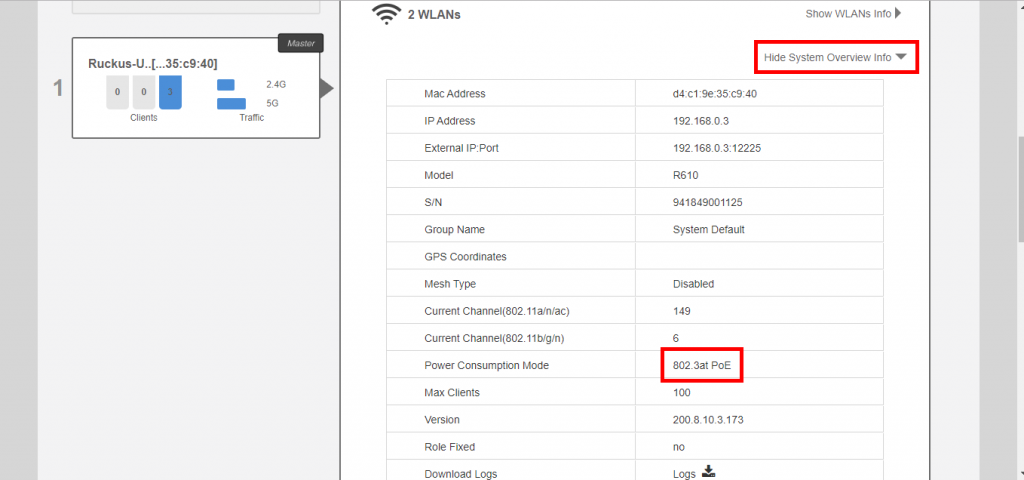
If a warning icon appears, click Show System Overview and locate the Power Consumption Mode entry. Refer to Power Limitations by PoE Mode and AP Model to see what limitations are in effect.
Show AP power consumption mode:
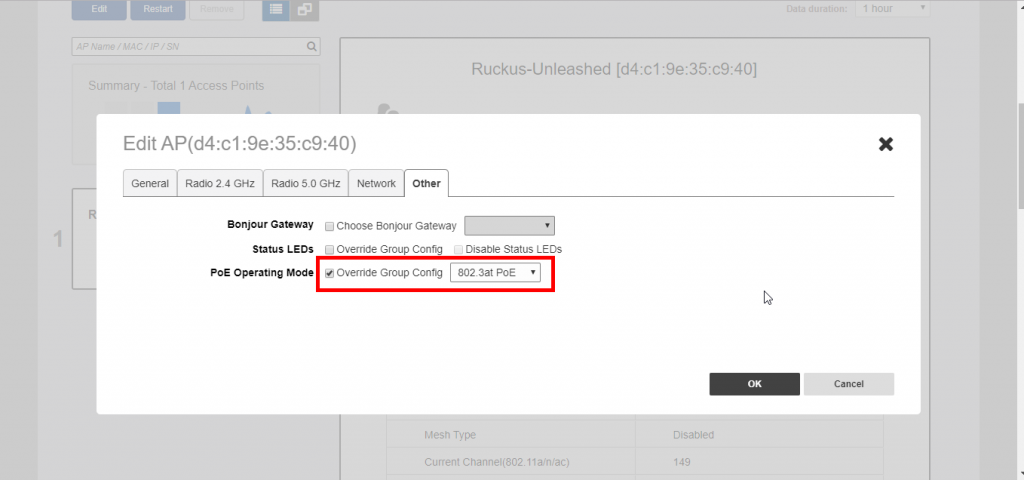
If power supply deficiency is caused by incorrect power level negotiation between the AP and the switch/PoE injector, you can enforce the AP Power Level on the AP's configuration page. Go to Access Points > [AP] > Edit > Other > PoE Operating Mode. Enable Override Group Config and select a power mode from the menu.
Override PoE operating mode: